What's New in People Study Pro: Brief Import, Smarter Word Counts and More
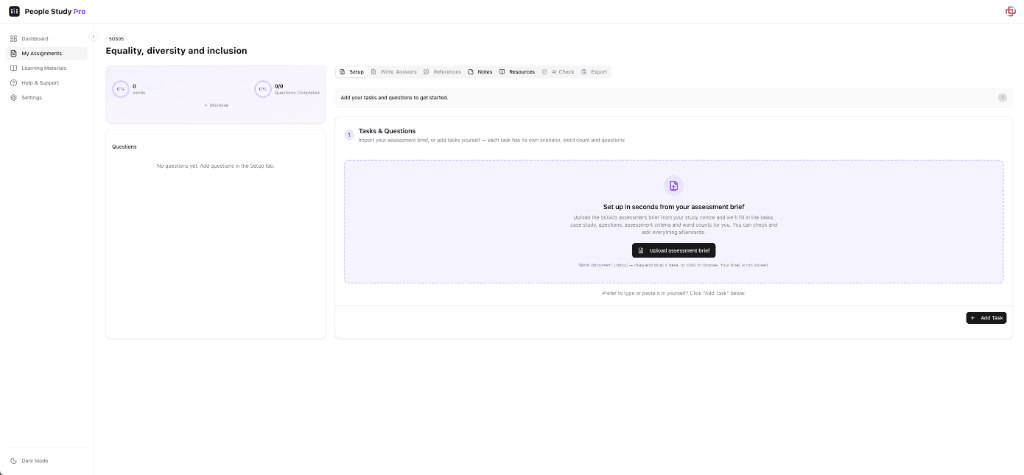
It has been a while since our last blog post, and we have been busy. Here is a round-up of what has changed in People Study Pro, focused on the improvements that make setting up and tracking an assignment quicker.
Import your assessment brief
Setting up a workspace used to mean typing in every task, scenario and question by hand. You can now import your assessment brief instead.
- Upload your own brief and the tasks, scenarios and questions are created for you.
- The imported text is your brief's own wording, not a rewrite.
- You are asked to check the result against your brief before relying on it, so nothing slips through unnoticed.
- Answers you have already written are kept and matched to the right question where possible.
You can still add tasks and questions yourself if you prefer.
Leave charts and calculations out of your word count
Some briefs make clear that certain outputs, such as charts, calculations or a CPD record, do not count towards your word count. Each question now has a Not included in word count option. Tick it and that answer is left out of your task and total word counts, so your progress bars reflect what actually counts.
For a refresher on the rules themselves, see our guide to the CIPD word count policy.
Guidance that matches your assessment
CIPD assessments are marked against specific criteria. The Setup step now asks Which assessment is this? so your guidance can use the marking criteria for the assessment you are actually sitting. You will find the assessment ID on the front page of your brief.
And a changelog
We have also added a public changelog with a month-by-month summary of what is new, so you can see how the platform has developed since launch.
Try it
If you are already a member, open your workspace and head to the Setup step. If you are new, create an account and see how it fits your next assignment. If you have feedback on any of these changes, use the feedback widget in the app and tell us what you think.